One person creates the bill in Splitceipt and shares a Guest link. Guests can open that link in a browser, select their name, review the bill, and mark their own repayment without installing the app or creating an account. The creator still uses Splitceipt to create and manage the bill.
Short answer
If you want to split a bill with friends without turning dinner into an app-installation queue, create the bill in Splitceipt, add friends who are not using the app by name, and enable a Guest link from the bill. That one link is for the bill—not a group-wide account—and it is best for a one-off expense such as a restaurant meal, groceries, or an event.
For a receipt with different orders, start with the item-by-item receipt workflow. For the tax-and-tip decisions behind a dinner split, see the restaurant bill guide.
Why asking everyone to install an app adds friction
Most groups can agree on a split faster than they can agree to download, register for, and learn a new app. That extra step is especially awkward for a single dinner: someone may be traveling, low on storage, or simply not interested in keeping another account after one payment.
Guest links keep the useful part of a bill splitter available in the browser. The person organizing the bill has the app and stays in control of the bill. Other people can use the shared link to understand the split and record the repayment that applies to the guest name they selected.
This is not an anonymous expense tracker for every situation. Guests cannot edit the split, claim or reassign items, change tax or tip, or reopen a payment. Those limits protect the completed bill from casual changes while still making payment status visible.
How Splitceipt’s Guest link works
The creator makes a bill in the Splitceipt app, adds a name-only participant for each person who will use guest access, finishes the split, and enables a Guest link from Bill Details. The creator can then copy or share the link.
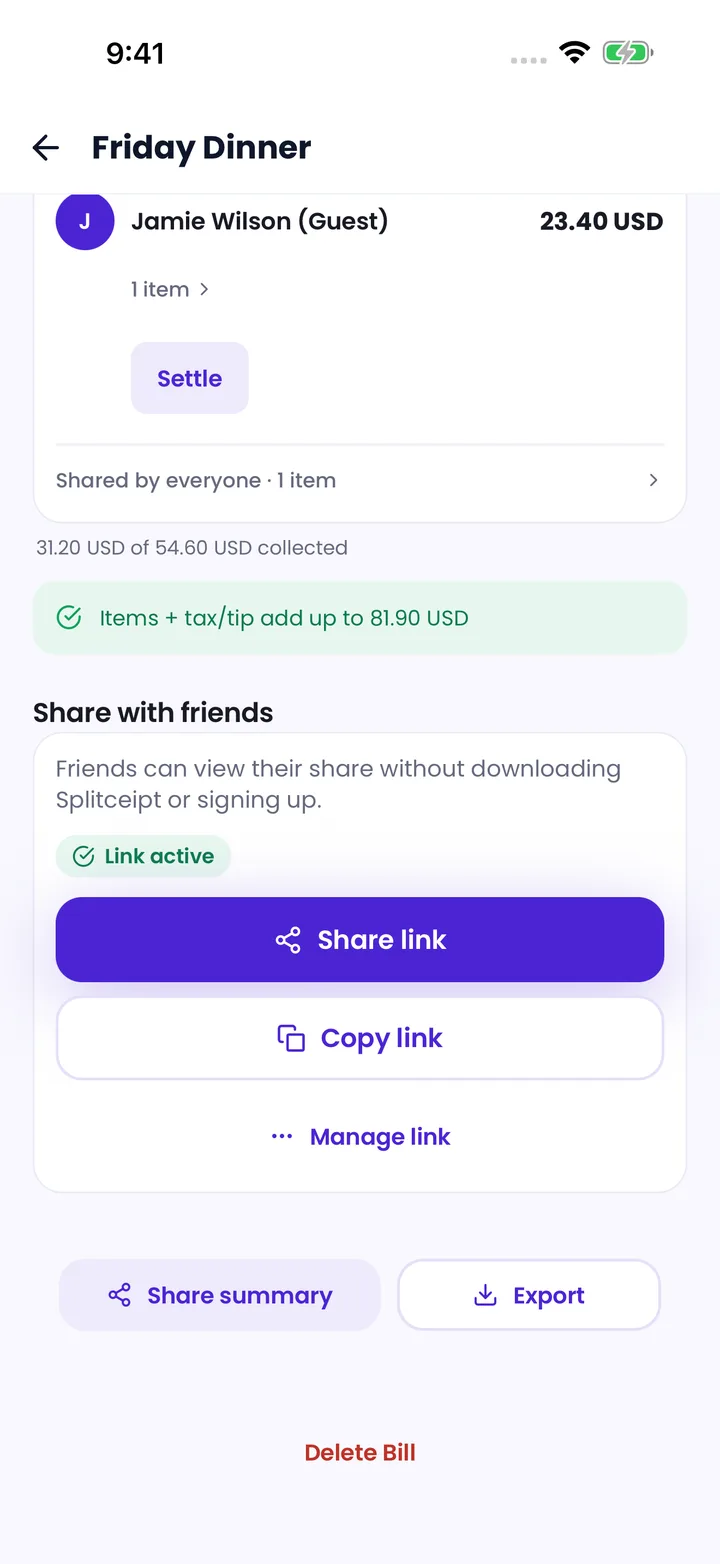
Name-only guests are bill-specific. They are different from registered Splitceipt participants and email invitees. A registered participant or an email invitee can appear on the shared bill, but only an unlinked, name-only guest can be selected in the guest browser flow.
The link leads to a shared-bill page in the browser. No guest app download or login is required to open it. After selecting a guest entry, the browser remembers that choice locally for convenience, and the person can switch to another available guest entry. That selection is not identity verification.
Step-by-step: share a bill online
- Create the bill in Splitceipt and add the participants. Add people who will use guest access by name.
- Choose the split—equal, custom, percentage, or an itemized split—and finish the bill details.
- In Bill Details, the creator enables Guest access and shares the generated link.
- Each guest opens the link in a browser and selects their own name.
- Guests review their amount, items when the bill is itemized, payment instructions, repayments, and recent bill activity.
- After paying outside Splitceipt, a guest can mark only their own outgoing repayment as paid, after confirming the recipient, amount, and currency.
Splitceipt records the payment status; it does not transfer money or independently verify that payment happened. For the difference between calculating a share and repaying it, read what “settle up” means.
What guests can view and do
Once a name-only guest is selected, the shared-bill page shows the bill title, creator, date, total, currency, participants, each participant’s share and contribution, repayment status, payment instructions, and recent activity. On itemized bills, it also shows items, assignments, tax, tip, and the split mode.
Guests can view everyone’s shares and contributions, not only their own. They can also see the bill activity shown by the page. Email invitees use generic labels, but a registered participant’s display name or username may appear. Anyone with the Guest link can view the bill, and selecting a name does not verify identity.
What a guest can change is deliberately narrow: they may mark an unpaid repayment where their selected guest entry is the debtor. They cannot mark somebody else’s repayment paid, and they cannot alter the bill’s items, assignments, contributions, tax, tip, payment instructions, or settlement history.
Guest Bill versus Groups for ongoing sharing
“Group Share” is not the user-facing feature name in Splitceipt. The ongoing alternative is Groups: a persistent in-app space for members, bills, and balances. Use a Guest link for a completed, one-off bill; use a Group when the same registered people will keep adding shared expenses over time.
Swipe to compare.
| Guest link for a bill | Groups | |
|---|---|---|
| Best for | One-off bill | Ongoing expenses |
| Access | Shareable browser link | In-app group invite link or code |
| Participation | Name-only guest participation on that bill | Registered member collaboration |
| Guest app requirement | No app required for guests | Members use Splitceipt accounts in the app |
| History | Bill-scoped details and activity | Persistent group members, bills, and balances |
Groups can have a default currency, members, roles, bills, and group balances. A name-only guest on a grouped bill remains a bill-only participant; opening or linking a guest account does not make that person a group member. If the same household, trip, or team will keep adding expenses, explore the Splitceipt features and have each ongoing member join the Group with an account.
Privacy and safety of shared links
A Guest link is a bearer link: anyone with a valid link can view the shared bill. They can also select an available name-only guest, and selecting a name does not prove who they are. Share the link only with people who should see the bill.
The creator can disable a Guest link, which stops it from working once the change reaches the server. They can also replace it; replacement creates a new link and invalidates the previous one. A deleted bill no longer grants access. Guests should avoid forwarding a link or posting it in public chats, and creators should replace or disable a link if it reaches the wrong audience.
Shared-bill pages are excluded from search indexing and are not included in Splitceipt’s public sitemap or RSS feed. That protects against discovery through ordinary search, but it does not make a forwarded link private from whoever receives it.
When creating an account is useful
An account is optional for guest access, but it becomes useful after the guest has no unpaid outgoing repayments on that bill. From the shared-bill page, the selected guest can enter an email address, verify a one-time code, and connect that same participant to a new or existing Splitceipt account. The bill’s participant, share, contribution, items, repayment status, and activity stay attached to that person.
The code verifies control of the email address, not ownership of the selected guest name. Creating an account is most useful when someone wants to keep the bill, find future shared bills, track balances, or join an ongoing Group. The creator can disconnect an account that was linked incorrectly.
Split the bill, then share the right way
Create the bill once, check the math, and share a Guest link with the people who need to review and repay it. It is a simple way to share a bill online without making every dinner guest install an app. For repeated expenses, move the people who want a continuing record into a Splitceipt Group instead.