How do you split a receipt with friends?
Scan the receipt, check the parsed items, and assign each purchase to the people who shared it. Then confirm tax, tip, and the total each person owes. If you skip scanning, enter the items or the total manually and choose an equal, custom, or percentage split.
Step 1 - capture the receipt
In Splitceipt, take a photo or choose an existing image from your gallery. Flatten the receipt, use even lighting, and keep all prices and the total visible.
Free includes 5 AI receipt scans each month. Manual bills are unlimited, including itemized bills you type yourself. Pro adds unlimited scans and saved receipt image attachments.
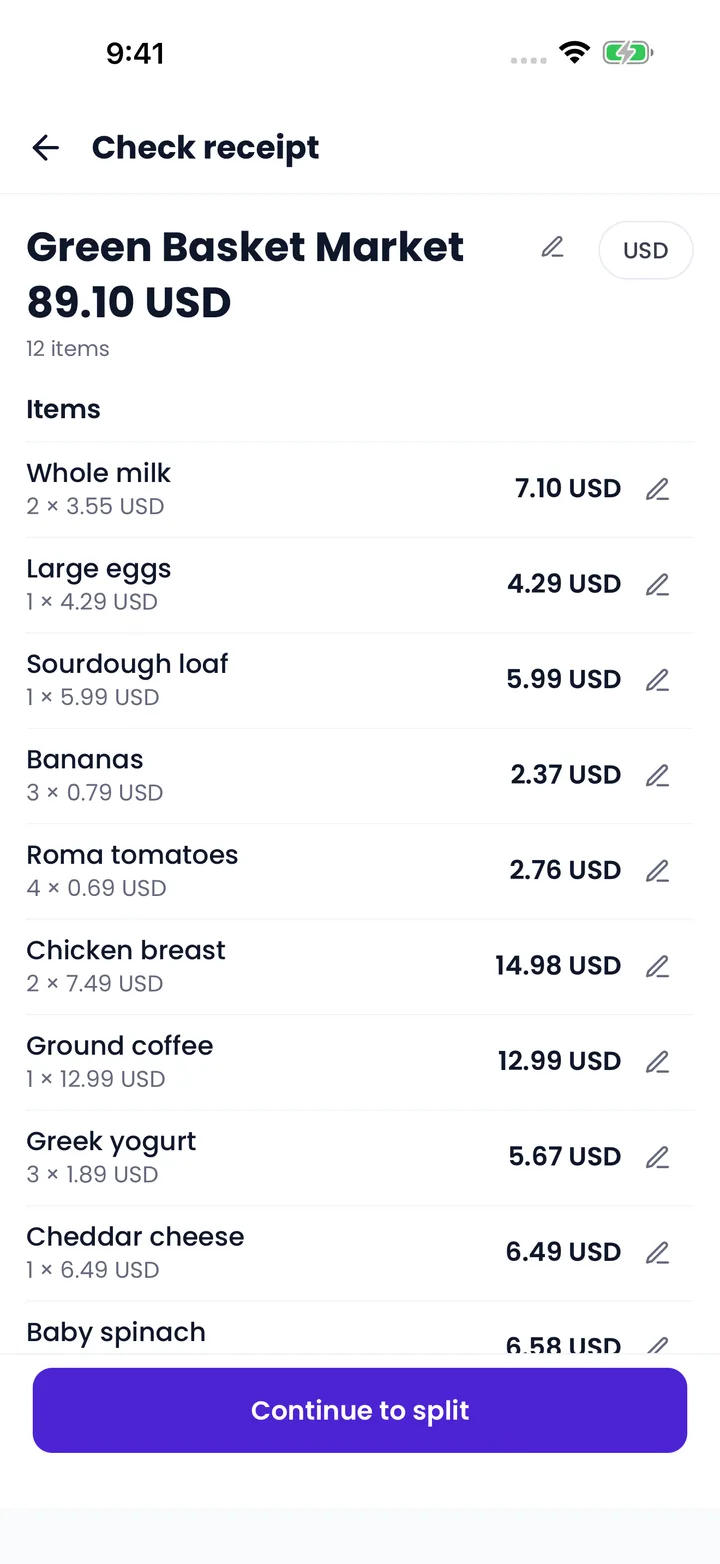
Step 2 - review parsed items
Check the merchant, item names, quantities, prices, tax, tip, total, and currency. Correct errors or add missed items before assigning people. A faded receipt or a discount can confuse a scanner, so compare the extracted total with the original.
Scanning is data entry assistance: the person creating the bill still checks the result.
Step 3 - assign items to people
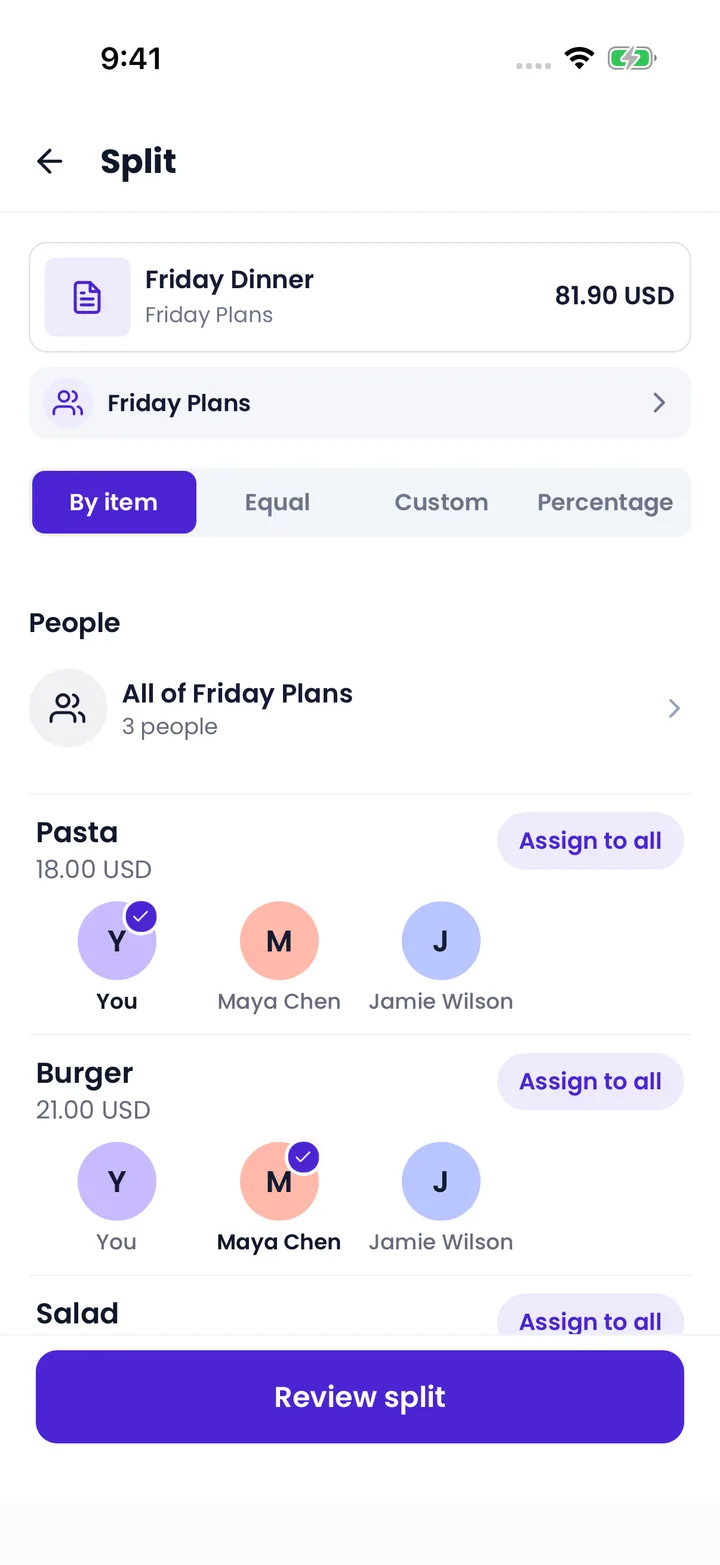
Add participants and select who shared each purchase:
- Personal meal or drink: assign it to that person.
- Shared appetizer: assign it to everyone who ate it.
- Personal groceries: leave them out of the household’s shared items.
For example, Maya’s $18 meal plus half of a $12 appetizer gives her a $24 subtotal. Omar’s $30 meal and the other half give him $36. Their combined subtotal is $60.
Review every row before saving. An item that is missing an assignment leaves someone’s share incomplete.
Step 4 - confirm tax and tip
If Maya’s subtotal is 40% of the bill, a proportional split assigns her 40% of the tax and agreed tip. With $6 tax and $12 tip on the example above, Maya owes $31.20 and Omar owes $46.80. Together, they cover the $78 total.
Swipe to see every share →
| Charge | Maya | Omar | Total |
|---|---|---|---|
| Personal meal | $18.00 | $30.00 | $48.00 |
| Shared appetizer | $6.00 | $6.00 | $12.00 |
| Tax (10% of each subtotal) | $2.40 | $3.60 | $6.00 |
| Tip (20% of each subtotal) | $4.80 | $7.20 | $12.00 |
| Total owed | $31.20 | $46.80 | $78.00 |
For totals that produce fractions of a cent, round each person’s share to cents and reconcile the final cent so the shares still equal the receipt total. Agree who covers it rather than leaving the bill short.
Use the receipt’s actual charges, check for included gratuity, and agree how to handle any differently taxed items. The restaurant bill guide explains the method.
Step 5 - save and settle
Confirm who paid and save the bill. If someone covered the total, the others repay that person according to their shares.
For friends without the app, add name-only guests and share a Guest link. They can review the completed split and record their outgoing repayment in a browser. They cannot reassign items there.
Pay through the method your group chooses, then record the repayment. Splitceipt tracks the status; it does not send money. For ongoing groups, review the net balances before settling up.